Skip to content

Appearance

Accent palette

Shop the snapshots

Shelf 02 · Themes, UI kits and dark mode

GoHighLevel themes, off the shelf and yours by lunch

A theme restyles the whole of GoHighLevel at once: sidebar, header, page background, cards, buttons, tables, tabs and modals. There are 27 on the shelf, 11 UI kits to change how every component feels, and 3 dark themes for the people who live in the app.

Answer first

What is a GoHighLevel theme?

GoHighLevel themes

A GoHighLevel theme is a complete visual style applied over the GoHighLevel app with CSS and a small script: sidebar, header, colours, type, corners and components change together. The GHL Customizer offers 27 themes and 11 UI kits; you choose one in a live editor and install it once with a single line in Agency Settings.

complete themes
0
UI kits
0
dark mode themes
0

Fitting room · themes

Hang a theme on the sample account

Pick a theme, then a UI kit under it, then flip between the sub-account and agency views. The whole app inside the window is clickable.

Dressing the window…

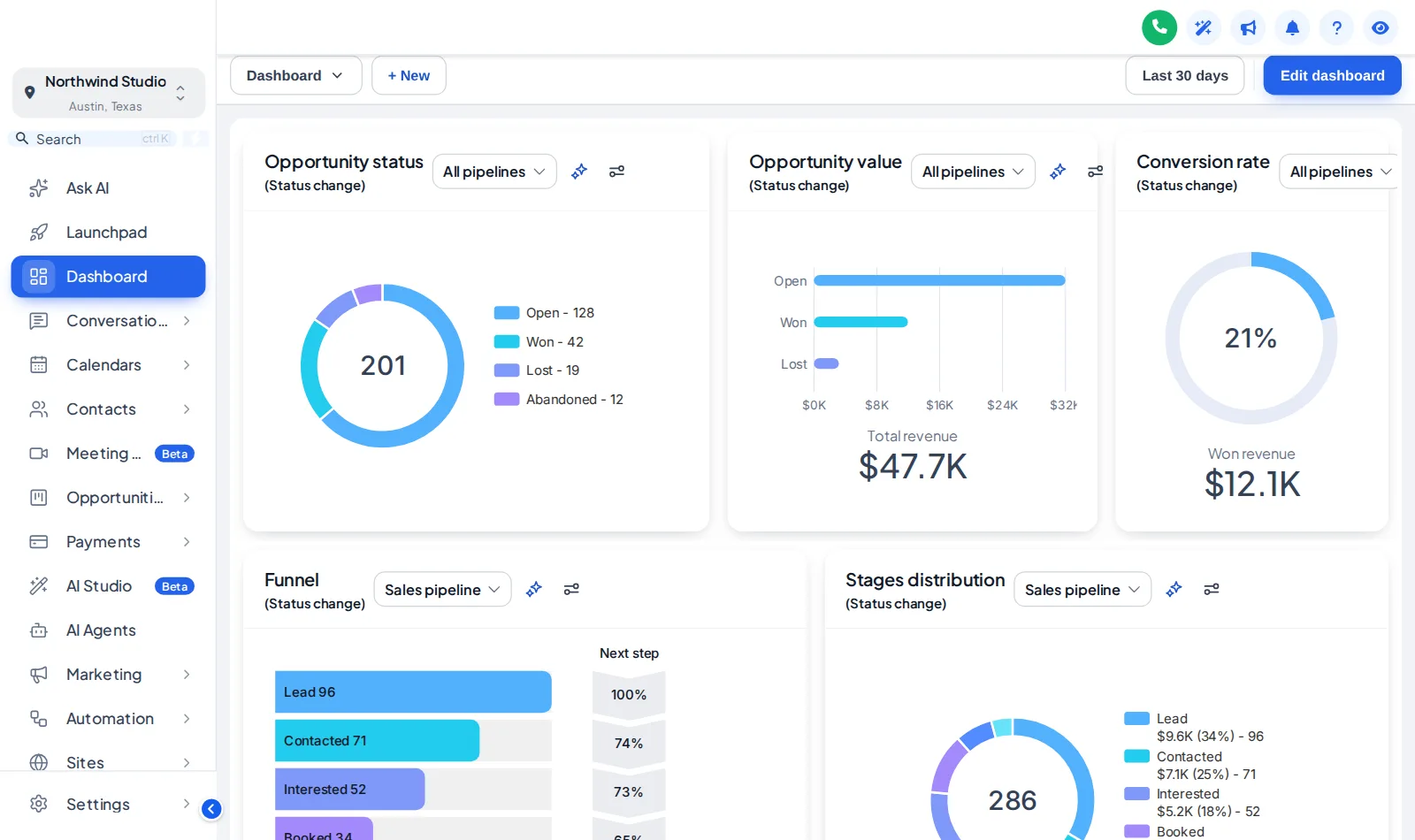
Sunset Coral The customizer engine restyling a copy of a GoHighLevel dashboard. The menu, the collapse button and the Save contact modal inside it all work.

Dark mode

A dark mode that is actually dark

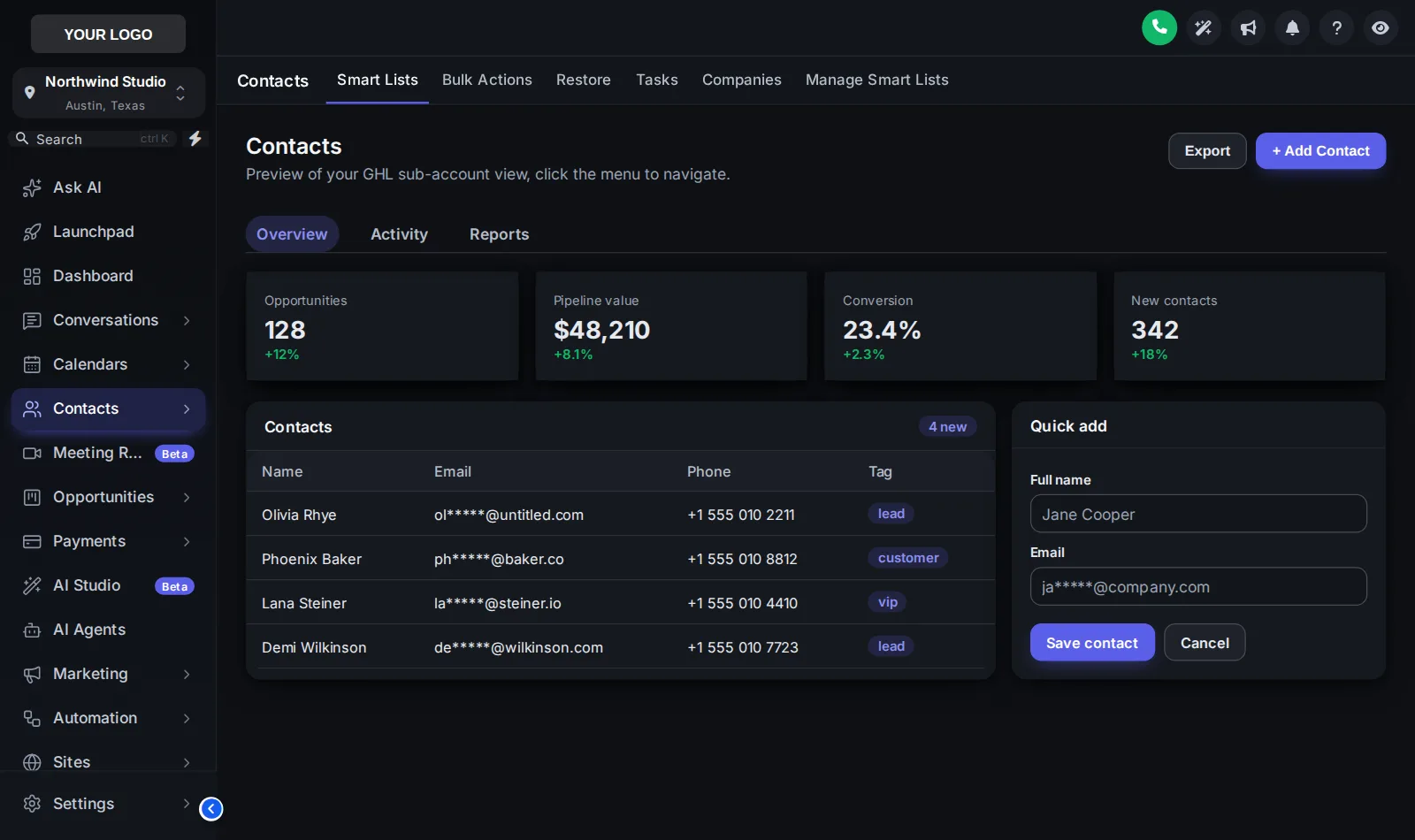
GoHighLevel has no dark mode for most of its pages. 3 of the themes are dark from end to end, with their own surface, border and text colours, so long sessions in conversations and opportunities are easier on the eyes.

The plate shows Graphite Pro with the Soft Shadow UI kit on the contacts page.

GoHighLevel contacts page in dark mode: Graphite Pro theme with the Soft Shadow UI kit on dark surfaces
Dark mode: Graphite Pro with the Soft Shadow UI kit, on the contacts page. Captured from our own fitting-room preview.

11 UI kits

The UI kit drawer

A theme sets the colours and layout; a UI kit sets how every card, button, input, table, tab and modal feels. Any kit fits under any theme.

  • Soft Shadow
  • Bordered Flat
  • Elevated
  • Glass
  • Accent Top
  • Side Accent
  • Brutalist
  • Studio Gradient
  • Halo Glow
  • Crisp Highlight
  • Rounded Pill

Before and after

GoHighLevel, off the rack and tailored

Off the rack

  • GoHighLevel blue on every button, tab and link
  • Your logo on a sidebar every other agency shares
  • Bright white pages all day, with no dark option

Tailored in the editor

  • Your colours on the sidebar, header and every control
  • Cards, tables and modals restyled by a UI kit
  • A proper dark mode with its own surfaces and text colours

Another from the shelf

Care Desk, a support-blue theme

GoHighLevel dashboard in the Care Desk theme: white sidebar and support-blue accents
Care Desk, a friendly support-blue theme. Captured from our own fitting-room preview.

Why agencies buy it

What a theme changes for you

  • Make the platform look sold, not rented

    Clients who log in to a branded app assume it is your product. That is the whole point of a white-label theme.

  • Dark mode for long sessions

    Setters and support staff spend hours in conversations and opportunities. A dark theme is easier on the eyes and on the morale.

  • Test a look before committing

    Swap themes in the editor as often as you like. Version history keeps earlier looks so you can roll back.

In the editor

From shelf to published

  1. Choose a theme

    Start from any of the themes on this page; each already pairs a sidebar, header, kit and login design.

  2. Change what you want

    Logo, brand colour, font, corner radius, sidebar or top-bar layout, and the UI kit.

  3. Switch dark mode on if you want it

    Pick a dark theme or a dark palette; GoHighLevel pages follow it.

  4. Publish

    With the one-line install in place, a publish in the editor reaches GoHighLevel straight away.

On the tag

Every theme is on the first shelf

Themes & UI kits are all in every package, from the cheapest up.

Shelf 2

Theme Bundle

Themes plus the working parts: menus, dashboards, boards and contact actions.

$379one-time · lifetime access

An agency with sub-accounts and a team that lives inside GoHighLevel from nine to five.

Login emailed within minutes (max 24 hours)

Shelf 3

Theme Shop All-Access

The whole shop: themes, working parts and every website widget.

$779one-time · lifetime access

An agency selling GoHighLevel as its own branded platform, with websites and funnels that need to convert.

Login emailed within minutes (max 24 hours)

Prices in USD, paid once by card through our basket and Stripe. Each package is a self-serve account: you style and install it yourself, with help docs and support if you get stuck. All sales are final once the account is created (see the refund policy), so try every module in the fitting room first.

Theme questions

GoHighLevel theme questions

What is a GoHighLevel theme?

A complete visual style for the GoHighLevel app: sidebar, header, page background, type, corner radius and how cards, buttons, inputs, tables and modals look. The customizer applies it with CSS and a small script, so GoHighLevel itself is untouched.

How many GoHighLevel themes are included?

All 27, in every package, plus all 11 UI kits and dark mode. Theme Single at $149 is the theme shelf on its own.

What is a UI kit and how is it different from a theme?

A theme sets colours and layout; a UI kit sets how components behave and feel — soft shadows, flat borders, glass, brutalist, pill buttons and so on. Any of the 11 kits can sit under any theme.

Does GoHighLevel have a dark mode?

Not built in for every page. The customizer adds one: 3 dark themes with their own surface, border and text colours, applied to pages that use the GoHighLevel sidebar. The login page keeps its own design.

Will a theme apply to my sub-accounts as well as the agency view?

Yes. The install line goes in the agency White Label settings, so the theme shows in the agency view and in sub-accounts under it. The live preview on this page has a Sub-account / Agency switch so you can see both.

Can I use my own brand colours instead of a preset?

Yes. Every theme is a starting point. Change the brand colour, accent, sidebar colours, logo and font in the editor; the customizer also remaps GoHighLevel’s built-in blues to your colour.

Do I need to know CSS?

No. Everything is point-and-click in the editor with a live preview. If you do know CSS, you can still add your own on top.

Does a theme slow GoHighLevel down?

The install is one script and one stylesheet served from a CDN. Pages render as they did; the styling is applied as they load.

Can I go back to the standard GoHighLevel look?

Yes. Unpublish in the editor or remove the line from Custom JS and GoHighLevel returns to its default look immediately.

Is this a downloadable theme file?

No. Nothing is downloaded. You get a GHL Customizer account with lifetime access; the themes live in that account and reach GoHighLevel through the one-line install.

GoHighLevel and HighLevel are trademarks of HighLevel, Inc. FunnelThemeShop is independent and is not affiliated with or endorsed by HighLevel. The GHL Customizer is a separate platform run by GHL Customer Care; your account is created on it when you buy here.

GHL Customizer accounts · self-serve

Take every theme home today

Theme Single: all 27 themes, 11 UI kits, dark mode and 16 login designs, $149 once, login in your inbox within minutes.

Compare the packages

Login emailed within minutes (max 24 hours) · one-time payment, lifetime access · no GoHighLevel password asked for, ever